

Testing Steps #
You can test individual Steps in a Template – or a Cycle – by using the “Test Step” option, found on a Step under “More Actions”.
 Warning: Take care when testing any Steps that may alter your or your customers’ data. When testing a Step, Cyclr will send an HTTP Request or perform the action defined by the underlying Method as if it were being run within an integration. This can therefore result in data in external systems being modified or deleted, depending on the Method being used.
Test an Action Step #
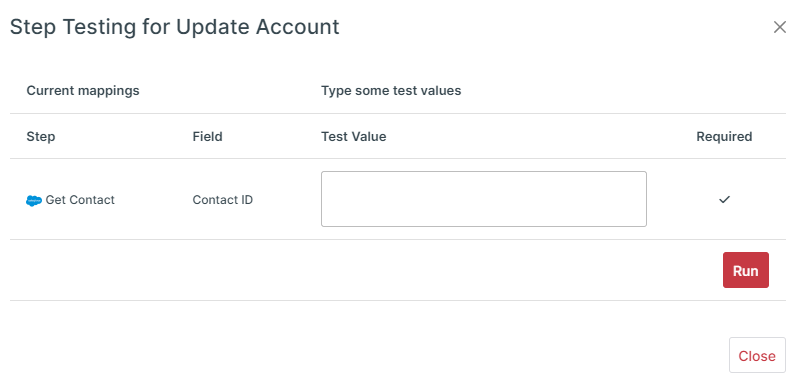
To test a Step, you need to map its required fields and then select the Test Step option. This opens a popup where you can enter test values if the Step requires them. Select Run to execute the Step and see the test output.
Test a Get Step #
To test a trigger step, map the required fields and select the Test Step icon to test whether the step can retrieve the right data from the application.
Notes:
- Cyclr may only return a small part of the data; usually the first “page”
- Steps that get new or updated records, will in fact always return some data (such that you can review it)
Run a Template #
Once correctly setup, you can click the “Run” button to start your Template. Normally when testing it is normal to use the “Run Once” option.