

Cyclr Connector Guides give details on how to setup and install Connectors.
Go to Connector Guides homepage
Some Connectors may require external setup outside of Cyclr such as obtaining credentials, generating an API Key, or creating an OAuth app, which is explained in the Connector Guide for those Connectors.
There may also be further action to take or values to provide when installing and authenticating a Connector within Cyclr.
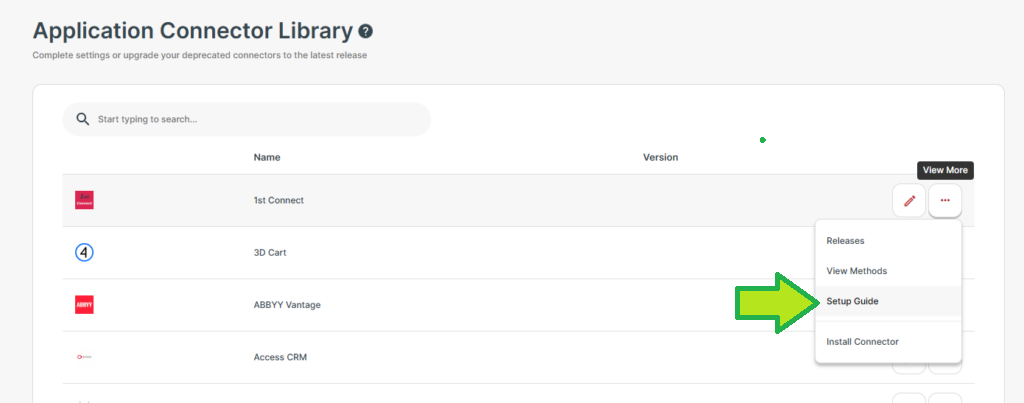
To view the Connector Guide for a specific Connector, you can open the Settings page for the Connector and select the Setup Guide button, or you can search in the Connector Guides section of the documentation.
Requirements #
In order to connect with a third party application, you may need a specific type of account within that application, or may need to adjust your settings and permissions. The Connector Guide for that specific Connector should specify what’s required.
Console-level Setup #
For some Connectors, certain details around their authentication and setup may be provided at the Cyclr Console level. This avoids the need to provide them every time they are installed, or allows you to set certain Cyclr Partner-level options.
Those details can be viewed and set within your Cyclr Console from Connector Library > Application Connectors.
For more information, see the “Settings tab” section of the Installation User Experience page.
Account-level Setup #
Some Connectors don’t have the option for any Console-level values to be provided, or might have more fields available when the Connector is being installed.